⚡ Lightning-fast · 🔒 100% on-device · with or without AI

Why can't you just
ask your own documents?

The answers you need are already sitting in your files — but the tools that could finally dig them out want your data in the cloud, and still invent facts you can't check. Kalsmritikosh exists to close that gap. Let's walk through it as three questions.

Requires macOS 15.6+ for ingest, search, timeline and exports. AI-written answers require macOS 26+ with Apple Intelligence enabled.
“When was the first lot due, and was that date changed?”
The first lot of 8 units was originally due 2024-04-15 contract.md · p.1, then rescheduled to 2024-05-28 by Amendment 7 amendment-7.md · p.1.
Proven by direct evidence 2 sources
Every claim carries the exact evidence that supports it. If your documents don't say it, the answer says so — it won't guess.
?

Question 1

Why does Kalsmritikosh exist?

A

Because there was no honest way to ask questions of your own private archive. Today's document AI has two problems — and between them sits a gap nobody was filling.

Problem 1 · it makes things up

“Grounded” assistants still hallucinate

Users have reported document AIs inventing contract clauses that aren't there, giving citations too coarse to check quickly, and letting disagreements between sources slip past unflagged. Convincing — and sometimes confidently wrong.

Problem 2 · it takes your data

Your private files go to the cloud

On several popular chatbots' personal plans, uploaded files can be used for model training depending on your plan and settings, are retained on servers, can be caught by legal holds, and have leaked in past breaches. Confidential work doesn't belong on someone else's servers.

The gap it fills: a place to ask your own documents that stays entirely on your Mac and refuses to guess — every answer tied to the exact evidence, so you can hand it the work you can't get wrong: the case, the claim, the report, the family history.

?

Question 2

How does it fill that gap?

A

It's an evidence ledger, not a chatbot. Instead of a model guessing from a chat window, the intelligence lives in a structured database it builds from your files — on your Mac, in three steps.

The three steps

1

Add your documents

Point it at a folder — PDFs, Word, Excel, email (EML/MBOX), scans. It reads everything in place; nothing leaves your device. (Audio/video files are preserved and catalogued at ingestion; transcribe them on demand, fully on-device, in Transcripts — where Apple Speech supports the language.)

2

It builds the ledger

Formats fall away. Everything becomes cited facts, dated events, people, and relationships in one structured, searchable store.

3

Ask, and verify

Ask in plain language. Get an answer with its evidence, a confidence read, and any conflicts — every line traceable to a source.

Why that design changes everything

📎

Answers carry their sources

Every claim is tied to its exact source — the file plus the most precise locator the format allows: page, line, sheet & row, slide, or email message. Click any citation to see the original — no hunting through a 40-page PDF.

🚫

It won't guess

An evidence gate decides: answer, water down, refuse, or show a conflict. If your documents don't support it, it tells you — instead of inventing a plausible clause.

⚖️

Conflicts are surfaced, not averaged

When two documents disagree, you see both sides with their sources — the exact thing other tools quietly paper over.

🕘

A real timeline

Dated facts across your whole archive are reconstructed into one chronology — with honest markers for what's proven vs. inferred.

📤

Export with citations intact

Turn findings into a work product — a chronology, a brief, a report — with the citations baked in. No walled garden.

🔐

Private by design

Runs 100% on your Mac using Apple's on-device model. No account, no uploads, no analytics. Erase everything in one click.

?

Question 3

What more is inside?

A

A lot — and most of it works instantly, with no AI at all. You choose the gear: lightning-fast and deterministic, or a private on-device AI when you want deeper answers. Here's the whole workbench, and exactly where each piece lives in the app.

Two ways to work, side by side

⚡ Lightning — no AI needed

Instant & deterministic

⏱ Fast answers
  • Full-text search across every document and email
  • Timelines, logs & registers, cross-document matrix
  • DataLab — cited tables built from your evidence
  • Real redaction, fund-flow, email threading, authenticity
  • Step-by-step workflows for 10 professions
  • Every result traceable to its source — nothing invented
⚡ Get answers fast
🔒 Full power — on-device AI

Deeper answers, when you want them

⏱ Seconds per answer · deep pass over a large archive: minutes–hours
  • Ask in plain language; answers cite their evidence
  • Confidence, timeliness and conflicts on every answer
  • Reads, extracts, cross-checks & embeds every source — that's the time
  • Runs 100% on your Mac — no accounts, no uploads
  • Runs in the background; use Lightning meanwhile, switch AI off anytime
🧠 Deeper answers — minutes to hours

Times scale with your archive size and your Mac. Lightning is instant because it skips AI and embeddings; Full power is slower because it actually reads, extracts and cites every source. The app shows a live time estimate before any long task, and you can stop it anytime.

Everything you can do — and where to find it

🔎 Ask & find

Get to the answer fast.

  • Ask — a plain-language answer with its evidence, a confidence read, and any conflicts.Ask
  • Search — instant full-text across every document and email.Search
  • Query builder — no-code questions over your ledger; describe it in plain words and it fills the filters. Shows the exact read-only SQL.Query
  • Cross-doc matrix — one question asked across every source, each answer cited.Matrix
  • Saved questions & answers — replayable, auditable history.Answers · Saved

🧩 Reconstruct the story

See what happened, who's involved, how it connects.

  • Timeline & History — dated events and a cited narrative of what happened.Timeline · History
  • Dossier — everything known about a person or organization.Dossier
  • Connections — the shortest chain of relationships linking two parties.Connections
  • Fund Flow — how money moved, payer → payee, from your evidence.Fund Flow
  • Email Threads — a big mail dump deduplicated and threaded into conversations.Email Threads

▦ DataLab — evidence into tables

Spreadsheets where every number proves itself.

  • Build from evidence — one click turns events, people, payments, communications, conflicts or gaps into a cited table.DataLab ▸ Build
  • Profession templates — privilege log, research log, transaction ledger, allegation matrix… pick yours.DataLab ▸ Template
  • Type, paste & bind — inline editing, paste from Excel, and bind any cell to its source document.DataLab
  • Analyse safely — totals/sorts, non-destructive what-if scenarios, quality & missing-value checks.DataLab

🧭 Do the job & hand it off

Step-by-step work, tailored to your profession.

  • Professional workflows — gated, guided jobs for 10 professions, a numbered document per step.Professional Jobs ▸ Run
  • Logs & registers — interviews, records requests (FOIA), research log — with full change history.Logs & Trackers
  • Review & handoff — resolve conflicts, chase missing evidence, record the decision.Review · Handoff
  • Export with receipts — PDF, Word or Excel with citations baked in and a tamper-evident receipt.Export

🛡️ Trust, safety & upkeep

Ship work you can defend.

  • Real redaction — removes the text from text-based PDFs (not a black box), then verifies it's gone from the extractable text.Redaction
  • Authenticity signals — fingerprint + provenance on a file, framed as leads not verdicts.Authenticity
  • Findings by status — proven, inferred, contradicted, missing — nothing hidden.Findings
  • Freshness monitor — re-check confirmed facts before they go stale.Freshness
  • Layered citations — Evidence Explained references, done for you.Citations

📊 See the big picture

Across every matter you hold.

  • Caseload — every matter triaged by how much attention it needs.Caseload
  • Trends — patterns across everything you've ingested.Trends
  • Completeness & Live — how fully your archive is processed, and live activity.Completeness · Live
  • Convert — turn files between formats, back and forth.Convert

A look inside
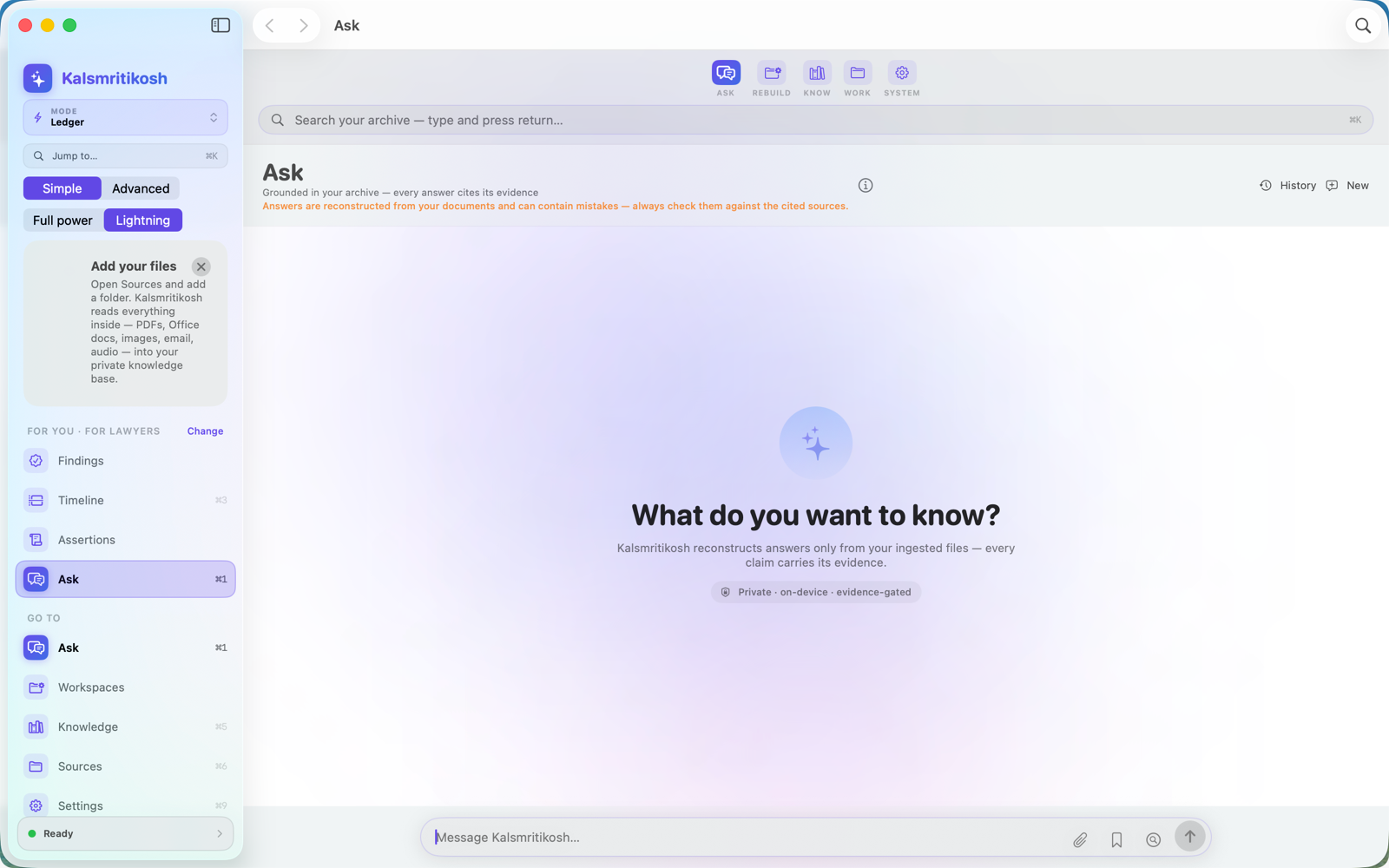
Ask — cited, evidence-gated answers
Ask in plain language — answers cited to your files, on-device.
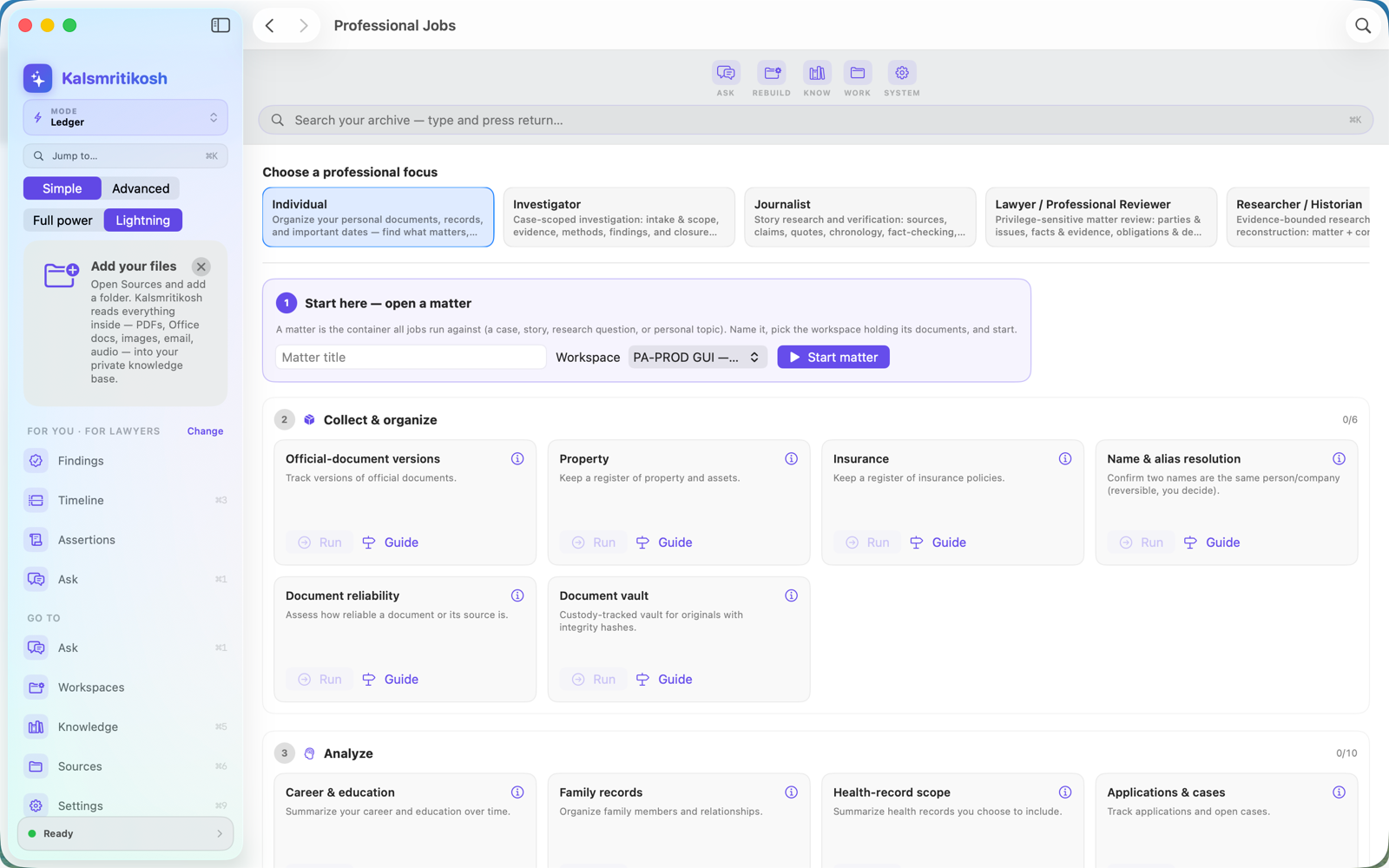
Professional Jobs — workflows by profession
Professional Jobs — guided workflows tailored to your field.
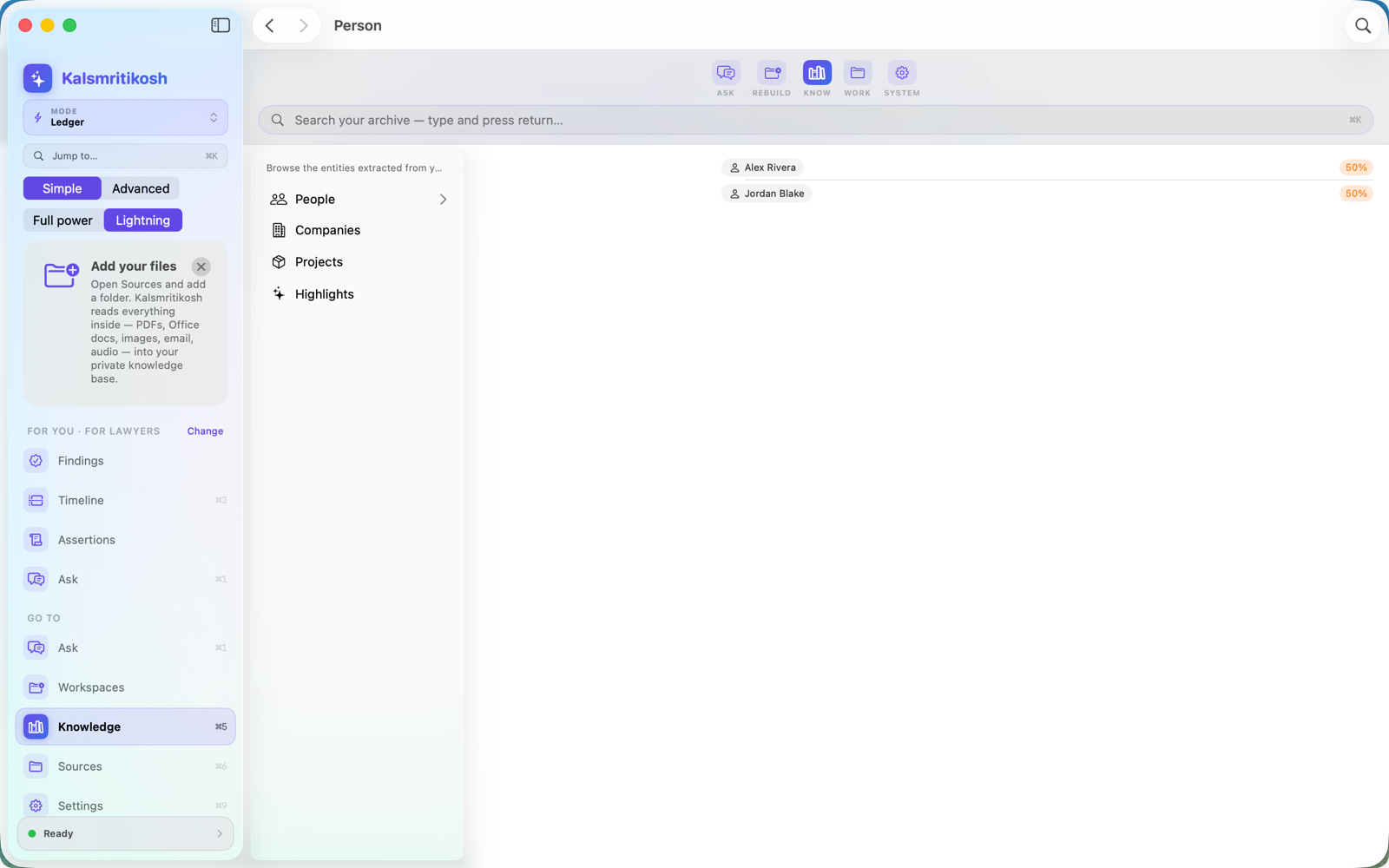
Knowledge — extracted people and companies
Knowledge — people, companies and projects, extracted from your evidence.
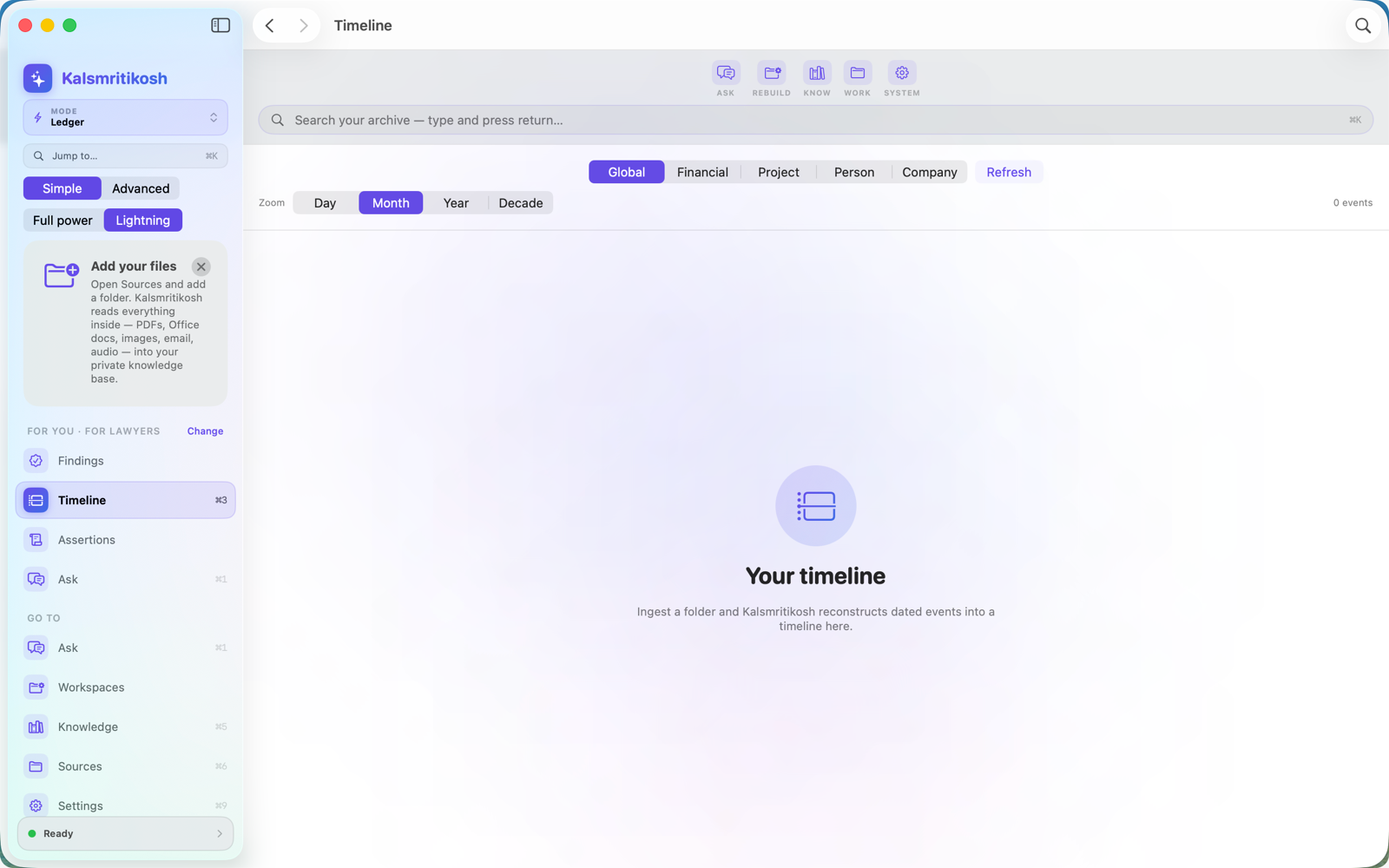
Timeline of dated events
Timeline — dated events reconstructed across your whole archive.
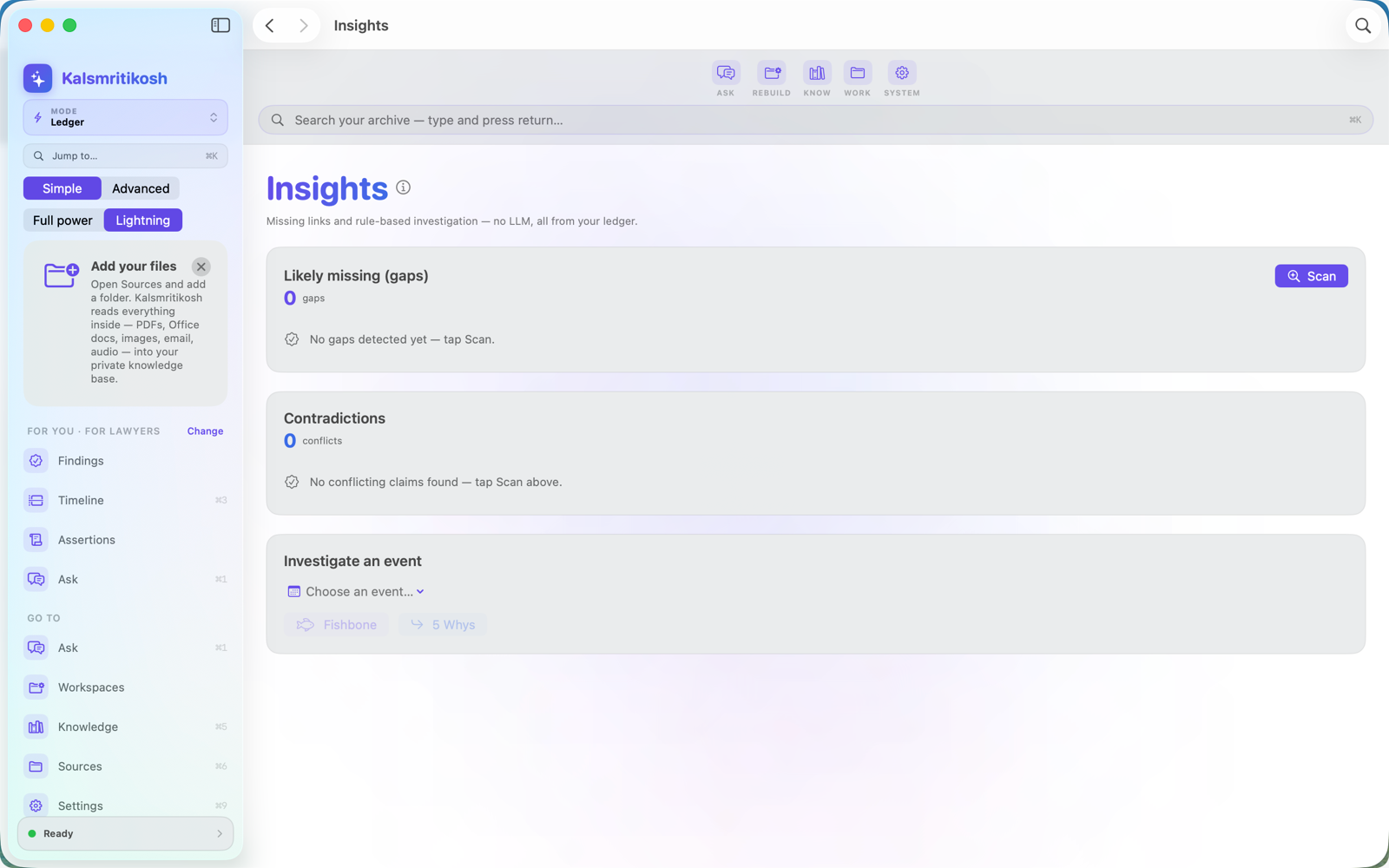
Insights — gaps and contradictions
Insights — gaps and contradictions, rule-based, no LLM needed.
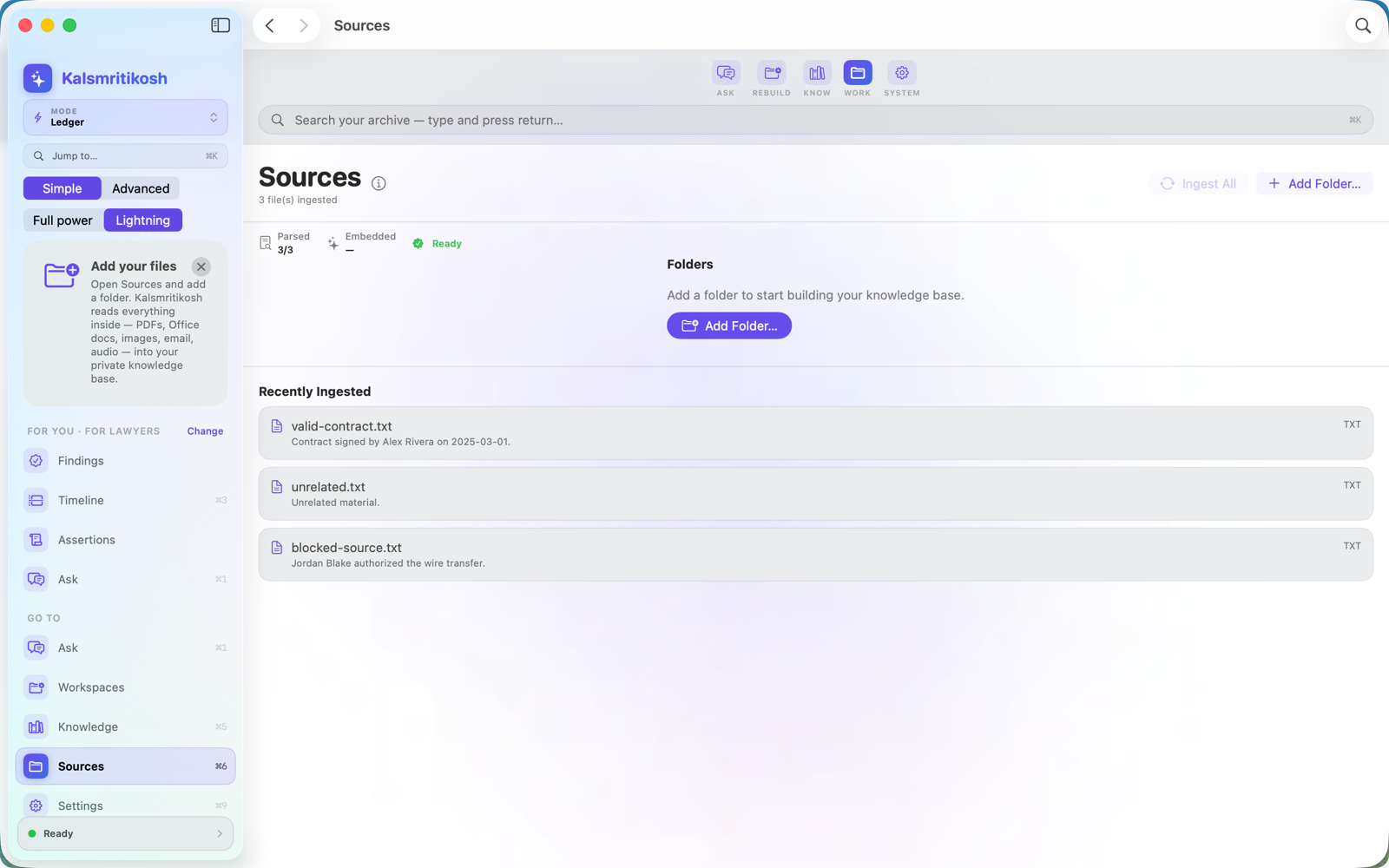
Sources — ingested and cited
Sources — your folder ingested in place; nothing leaves your Mac.
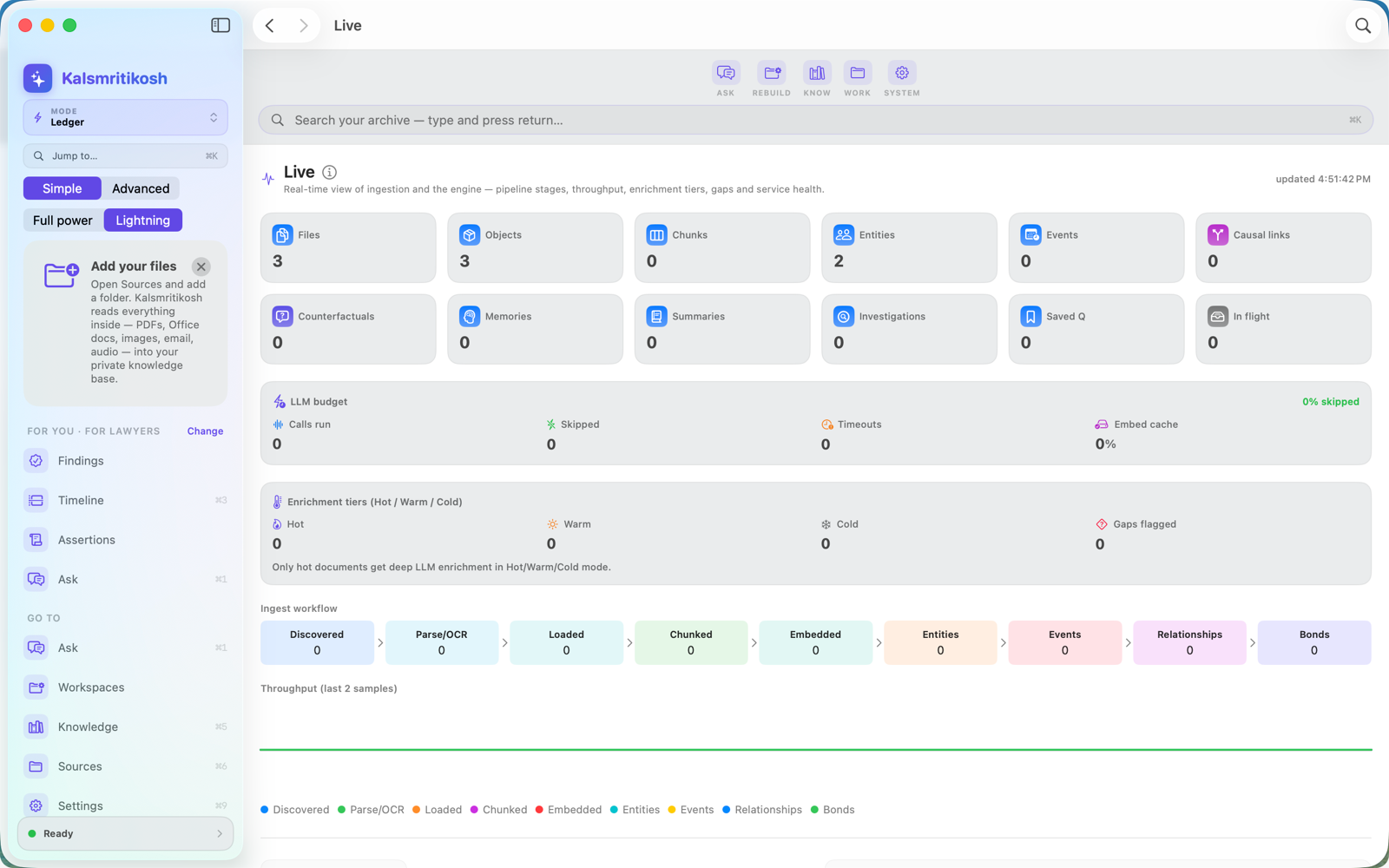
Live engine dashboard
Live — the ingestion pipeline and engine, in real time.
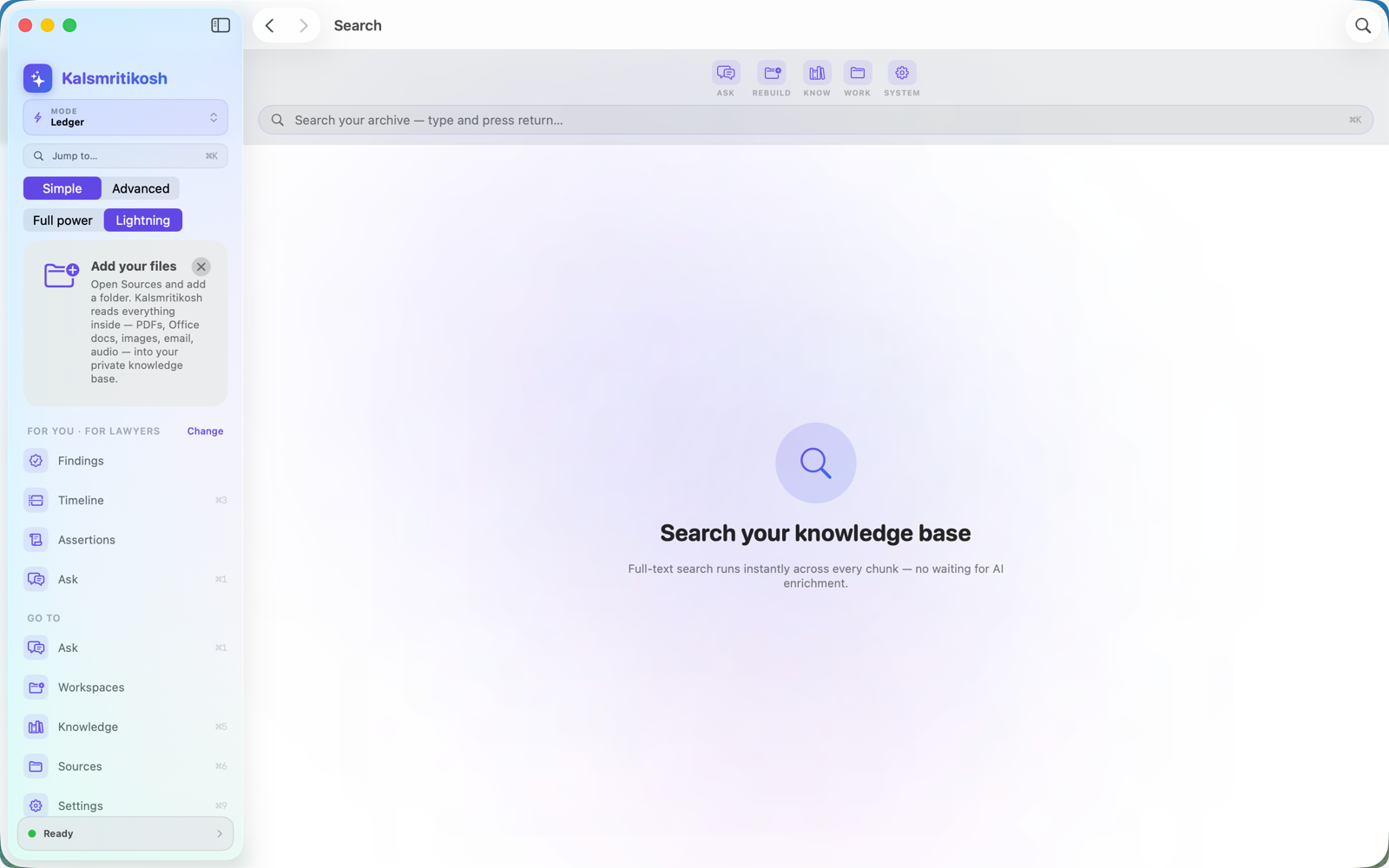
Instant full-text search
Search — instant full-text across every document and email.
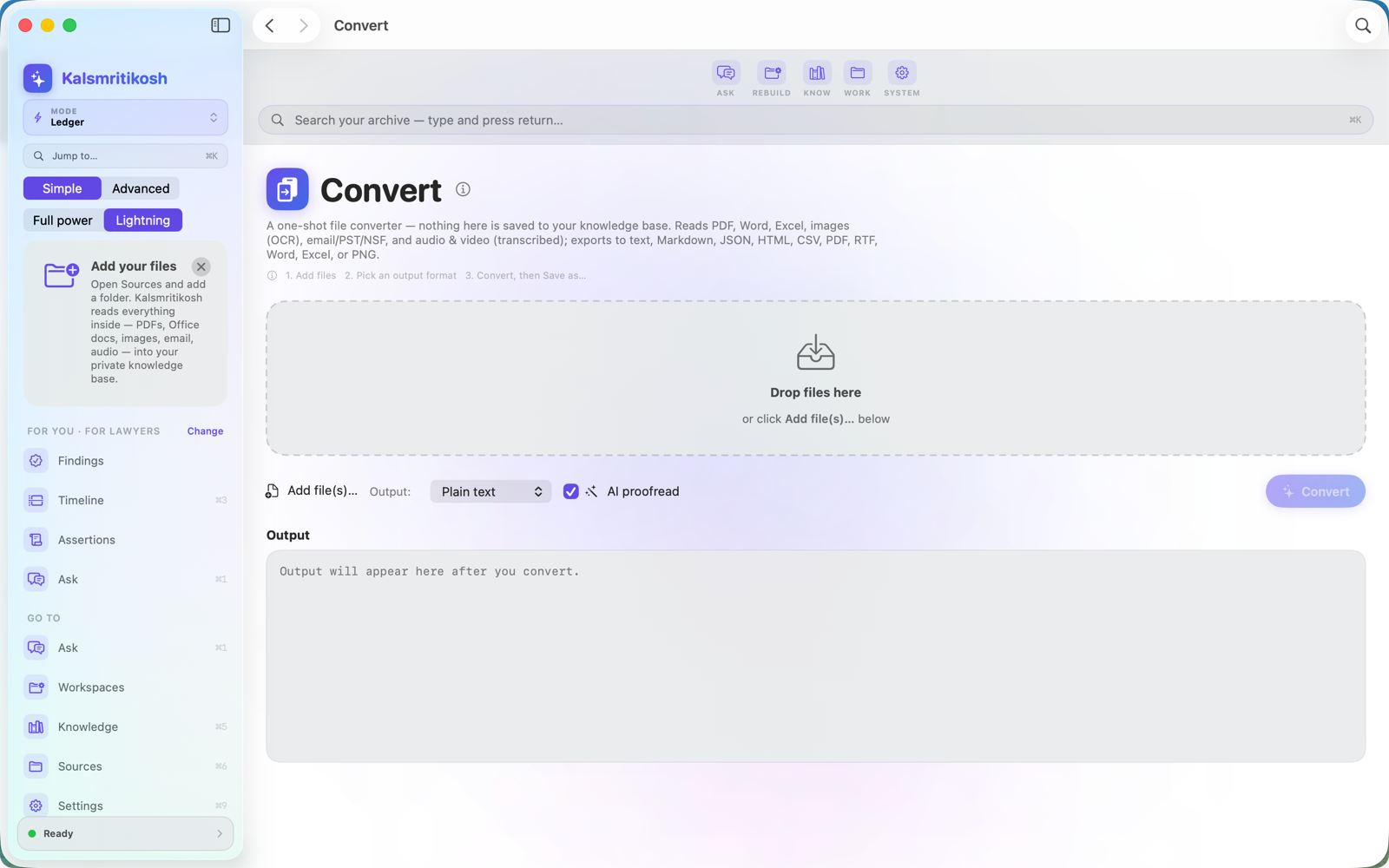
Convert files between formats
Convert — extract any supported document to TXT, Markdown, HTML, CSV, JSON, RTF, DOCX, XLSX, PDF or PNG, on-device.
Private by design settings
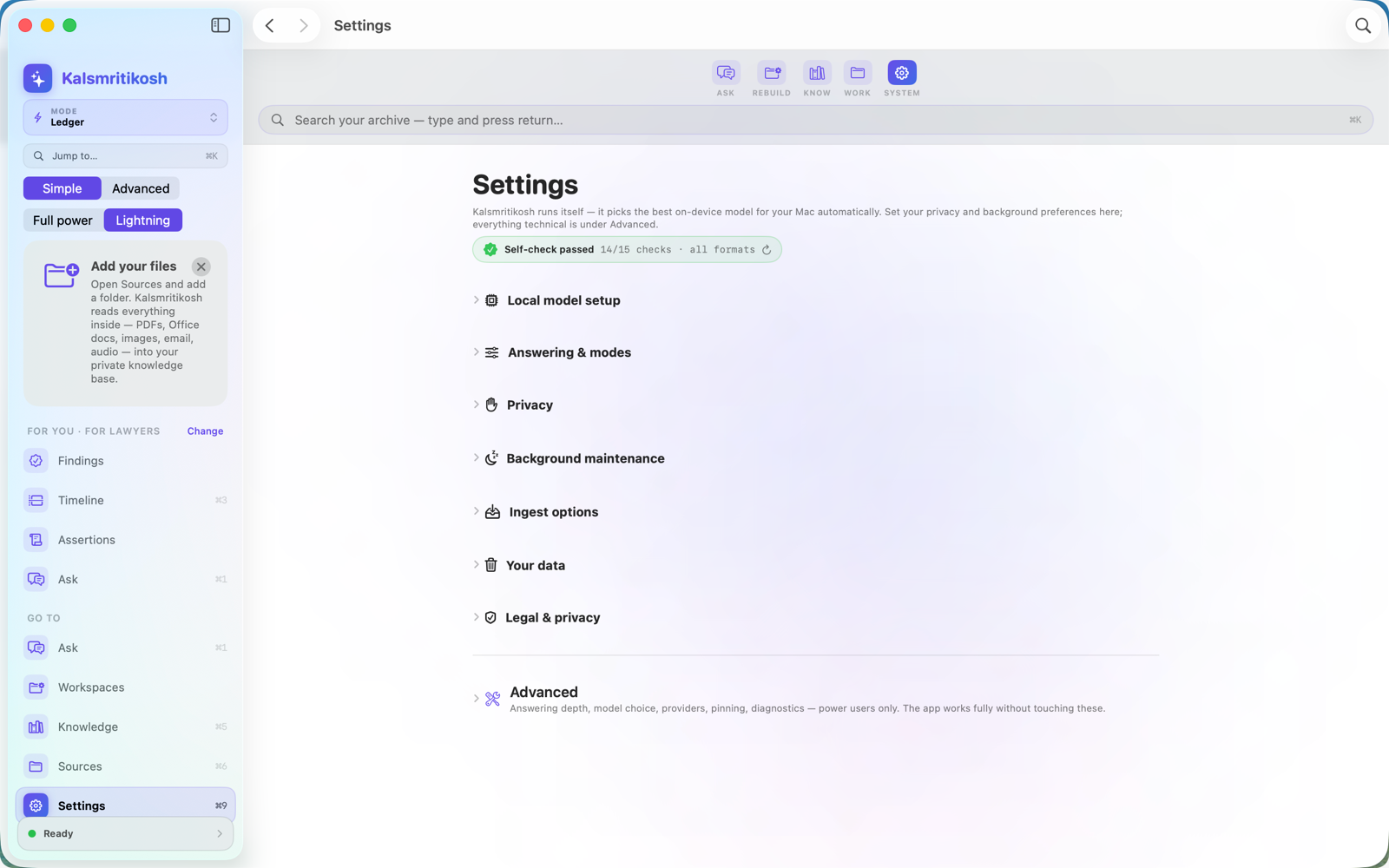
Private by design — on-device, no accounts, nothing uploaded.

Built for people who can't afford to be wrong

Pick your focus on first launch — the app speaks your profession's own language and tailors the workspace to the jobs you actually do.

⚖️

Solo & small-firm lawyers

Case chronology, privilege log, exhibit list, Bates-style document production — the document-review workflow big-firm platforms charge per-gigabyte for — for a one-time purchase. No processing fees, ever.

🔍

Investigators

Subject workups, chain of custody, timeline & link analysis — who knew what, and when, with the gaps in the record made visible.

🛡️

Insurance fraud (SIU)

Work a referred claim file: red-flag worksheets (indicators, never proof), statement comparison, loss chronology, and a defensible SIU report.

🧾

Forensic accountants

Follow the money — funds tracing, tracing schedules where every amount drills to its source document, exhibit-ready expert reports.

📰

Journalists

Verify claims across a document dump — fact-check board, right of reply, the tick-tock — what's supported, what conflicts, what's missing.

🏛️

Compliance & HR investigators

Workplace investigations that stand up later: allegations tracked, statements compared, findings on the balance of probabilities.

🏺

Researchers & historians

PRISMA-style screening, source criticism, chronology & periodisation — reconstruct the past with honest uncertainty, not false precision.

🌳

Genealogists

Research to the Genealogical Proof Standard: a research log, citations that reopen their source, conflicting records resolved — and a written proof argument.

🎬

Content creators

Research a video, podcast or newsletter: fact-check board, source vetting, guest background, and a source & rights locker — publish what holds up, and show your work.

🧠

Everyone

Your private, searchable memory — emergency binder, legacy binder, important dates, and answers about your own documents.

Other apps give you features. This one follows the SOP.

Every workflow in Kalsmritikosh is a real profession's Standard Operating Procedure — encoded, not a template. Workflow steps refuse to confirm without their required elements — recording a negative ("privilege log incomplete") blocks, not just an empty field. In strict conformance mode (the default), findings approval is blocked until every rule of the frozen SOP is individually resolved — attested, evidenced, or recorded as an authorized deviation. A classic mode exists in Settings that restores the legacy behavior and is labelled as disabling that enforcement.

📜

Real standards, enforced

PRISMA 2020, GRADE, 8D, ACH, the Admiralty scale, FRCP 26, the Genealogical Proof Standard — each becomes gates: obligations, decisions reserved for a human, and conclusions the app refuses to assert.

🧾

The real deliverable

Ten profession studios end in the actual hardcopy — a privilege log, an expert report, a fact-check memo with its right-of-reply log, a PRISMA/GRADE review — with a printed audit trail.

Encoded workflow conformance

Approved findings runs (strict mode — the default) record a per-rule assessment against the exact SOP version, frozen by hash — unevaluated rules block conformance instead of passing, and the signed certificate travels with the run for you to include when you share. An in-app Compliance Board tracks each standard's current edition with governed reviews — and you can read every SOP the app binds itself to, on demand. Verify a bundle yourself → Read the full SOP register →

Standard names belong to their respective bodies; no affiliation, endorsement, or certification is implied. Workflows implement the developer's good-faith reading of published standards; conformance certificates attest to the app's encoded rules, not legal or regulatory compliance. Workflows cite US and international instruments; procedures are jurisdiction-neutral and deviations are recorded on the certificate. Not legal or professional advice.

Your documents never leave your Mac.

No servers. No accounts. No analytics or telemetry. No training on your data — because we never receive it.

🖥️

On-device AI — nothing to download

Reading, search, and answers all run locally: the semantic-search models ship inside the app — a release-acceptance step verifies the compiled models are present in the archive before any build is published — and written answers use Apple's on-device model. The app makes no network connections at all — enforced by the macOS sandbox itself.

🙈

Nothing collected

App Store privacy label (as declared): “Data Not Collected.” There's nothing for us to lose or leak.

🗑️

Delete anytime

One click erases the entire ledger. Your original files are never touched.

How it compares

Honest, not hype.

What mattersKalsmritikoshCloud chatbotsCloud “notebook” AIs
Runs fully on your deviceYesNoNo
Your files used for trainingNeverVaries by provider, plan & settingsVaries by provider & settings
Citation precisionFile + exact locator — page, line, timestamp or recordAvailable in some modes; precision variesInline citations; precision varies
Refuses when evidence is missingYes — enforced evidence gateDepends on product & modeSource-grounded modes may decline
Surfaces contradictionsYes — a persistent record, both sides shownCan analyse when prompted; not kept as a ledgerCan analyse when prompted; not kept as a ledger
Timeline reconstructionYes — persistent & evidence-linkedCan generate on request; not maintainedCan generate on request; not maintained
Export with citationsYes — citations & audit trail intactFile export in many products; provenance variesExport available; provenance varies
Works offlineYesNoNo

Comparison reflects the vendors' published documentation as of August 2026; features and defaults vary by product, plan and settings, and change over time. Kalsmritikosh's difference is architectural: evidence, contradictions and timelines are persistent, local, auditable records — not one-off answers.

More questions

Does anything I add get uploaded?

No. Your documents, the ledger built from them, your questions, and the answers all stay on your Mac. There's no account and no analytics.

Can it still be wrong?

Any AI can be. The difference is that Kalsmritikosh only answers from your documents, shows the exact evidence for every claim, flags conflicts, and refuses when the record doesn't support an answer — so you can verify in one click instead of trusting blindly.

What can I feed it?

PDF, Word (DOCX), Excel/CSV, PowerPoint (PPTX), EPUB, email (EML/MBOX), HTML, Markdown, text, and ZIP. Scans and images are read with on-device OCR. Audio and video files are catalogued and preserved at ingestion, not auto-transcribed — transcribe them on demand, fully on-device (Apple Speech), from the Transcripts screen where the language is supported; legacy formats (DOC/PPT/Keynote/MSG/PST) are preserved for later processing.

What do I need to run it?

A Mac on macOS 15.6 or later for ingest, search, and evidence review. AI-written answers use Apple's on-device model, which requires macOS 26 or later with Apple Intelligence enabled on a supported Mac — everything else works without it.

How do I delete my data?

Settings → Your data → “Delete all my data.” It erases the whole ledger instantly; your original files on disk are untouched.

Answers you can actually trust.

Private. Cited. On your Mac.

Requires macOS 15.6+ · AI answers need macOS 26+ with Apple Intelligence